
上传 LoTW p12 证书时的问题
上传 LoTW p12 证书时的问题(Issues Uploading a LoTW p12 Certificate)
目录
在 PHP 8.5 上导入失败
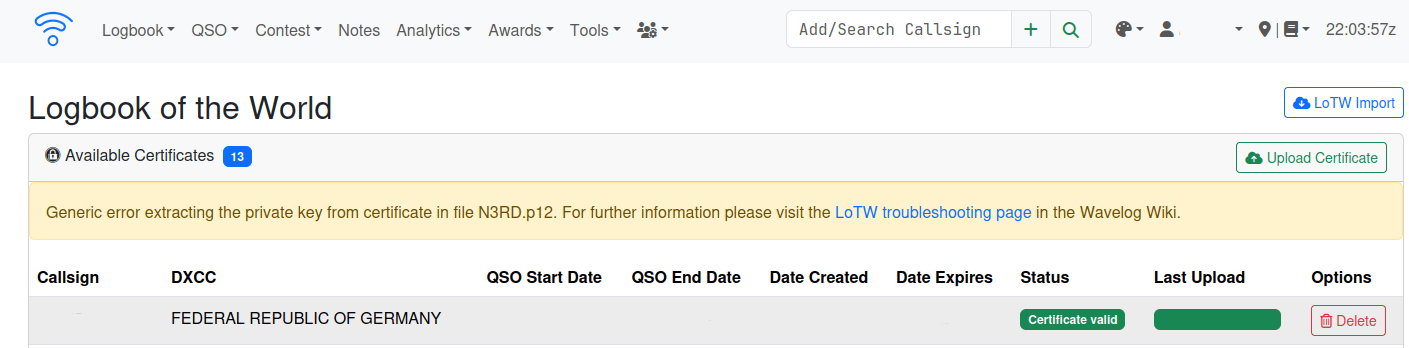
至少在运行 PHP 8.5 的 Ubuntu 26.04 上(即调试时为 PHP 8.5.4 / OpenSSL 3.5.5),导入 LoTW 证书会失败,并提示:
Generic error extracting the private key from certificate in file N3RD.p12. For further information please visit the LoTW troubleshooting page in the Wavelog Wiki.
日志文件中还包含另一条没有意义的错误信息:
ERROR - 2026-10-15 21:21:14 --> OpenSSL reading LoTW private key from file N3RD.p12 resulted in error: error:FFFFFFFF80000002:system library::No such file or directory
使用 strace 和一些日志记录追溯该错误的根本原因,发现 openssl 二进制文件会查找两个配置目录,而这两个目录在未做额外配置的 Ubuntu 26.04 系统上并不存在:
newfstatat(AT_FDCWD, "/var/lib/crypto-config/profiles/current/openssl.conf.d", 0x7ffebc1286e0, 0) = -1 ENOENT (No such file or directory)
newfstatat(AT_FDCWD, "/etc/ssl/openssl.conf.d", 0x7ffebc1286e0, 0) = -1 ENOENT (No such file or directory)
由于两处都因找不到该文件或目录而失败,openssl 模块便直接退出。幸运的是,解决这个问题相当简单,只需创建这两个目录(不需要放入任何内容):
sudo mkdir -p /etc/ssl/openssl.conf.d
sudo mkdir -p /var/lib/crypto-config/profiles/current/openssl.conf.d
之后导入应该就能恢复正常。这可能同样适用于其他配置或操作系统。在让该解决方案生效之前,可能需要重启 Apache Web 服务器。
在 MacOS 上从 tqsl 导出的证书
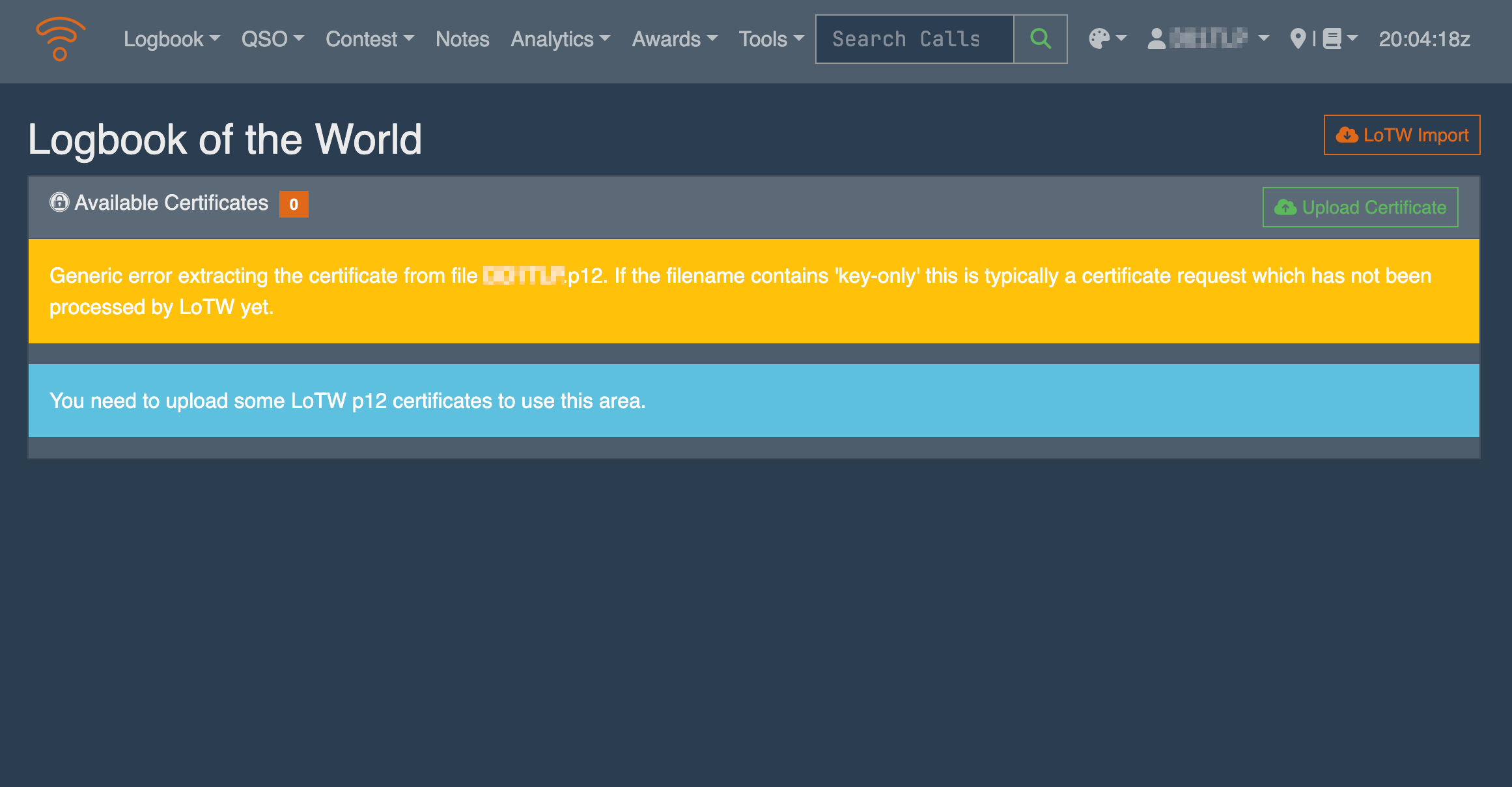
在某些情况下,从 MacOS 上的 tqsl 导出的证书似乎使用了已弃用的加密算法,而 Wavelog 所使用的近期 OpenSSL 版本不支持这些算法。上传 LoTW p12 证书时的典型错误信息是 Generic error extracting the certificate from fiel <FILENAME>.p12. If the filename contains 'key-only' this is typically a certificate request which has not been processed by LoTW yet.,如下方截图所示:
你也可以在近期 Linux 系统的命令行中使用 OpenSSL 进行测试:
$ openssl pkcs12 -info -in <LOTW_CERT_FILENAME>.p12
Enter Import Password:
MAC: sha1, Iteration 2048
MAC length: 20, salt length: 8
PKCS7 Encrypted data: pbeWithSHA1And40BitRC2-CBC, Iteration 2048
Error outputting keys and certificates
40C7FEE22E760000:error:0308010C:digital envelope routines:inner_evp_generic_fetch:unsupported:../crypto/evp/evp_fetch.c:386:Global default library context, Algorithm (RC2-40-CBC : 0), Properties ()
它显示 MAC 为 sha1、加密算法为 RC2-40-CBC,两者均已弃用,近期的 OpenSSL 版本不支持它们。作为对比,正常导出的证书会显示:
$ openssl pkcs12 -info -in <LOTW_CERT_FILENAME>.p12
Enter Import Password:
MAC: sha256, Iteration 2048
MAC length: 32, salt length: 8
PKCS7 Encrypted data: PBES2, PBKDF2, AES-256-CBC, Iteration 2048, PRF hmacWithSHA256
Certificate bag
Bag Attributes
localKeyID: 37 A0 F5 EC 88 2A 3F F2 22 9A 8E ED 4D FC 1D 02 2A 4B BD F8
friendlyName: TrustedQSL user certificate
subject=1.3.6.1.4.1.12348.1.1 = <CALLSIGN>, CN = <NAME>, emailAddress = <EMAILADDRESS>
issuer=C = US, ST = CT, L = Newington, O = American Radio Relay League, OU = Logbook of the World, CN = Logbook of the World Production CA, DC = arrl.org, emailAddress = lotw@arrl.org
-----BEGIN CERTIFICATE-----
[...]
这里显示的是 sha256 和 ARS-256-CBC,两者都是较新且可接受的算法。
为了能够上传在 MacOS 上使用已弃用算法创建的证书,有一个简单的变通办法:在近期的 Linux(或 Windows)系统上将该有问题的证书导入 tqsl,然后从那里重新导出(不设密码)。这样它就会使用未被弃用的算法,并可正常导入 Wavelog。
Windows 平台上的 Wavelog(WAMP)
上传 LoTW p12 证书失败的原因有很多。以下是一些能解决大多数问题的提示。
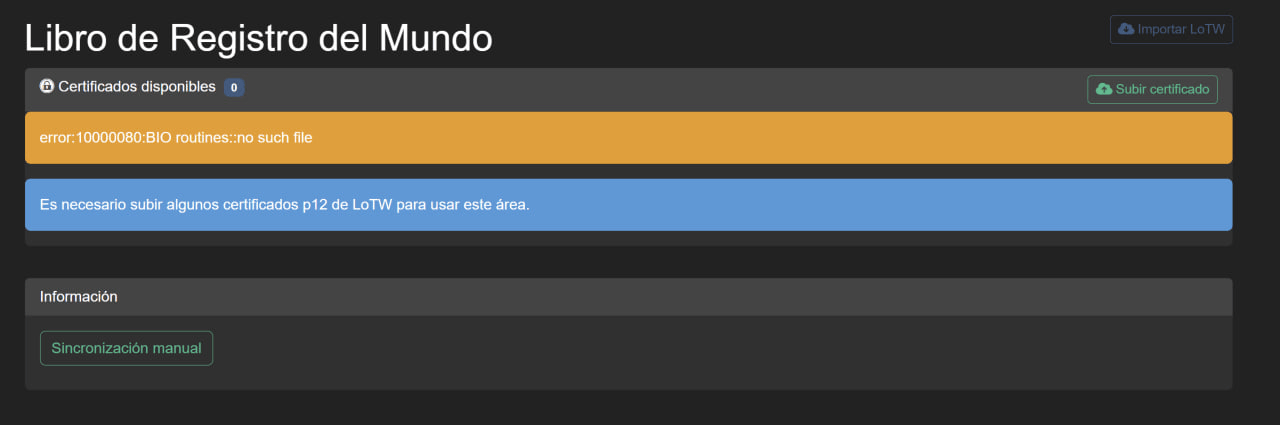
如果你在 Windows WAMP 平台上使用 Wavelog,可能需要正确配置你的环境。在某些情况下,上传会失败并提示 error:10000080:BIO routines::no such file,如下方截图所示:
在这种情况下,你必须检查 PHP 配置中是否已安装并启用 OpenSSL 扩展:

在 WAMP 服务器(Windows)上,你还需要创建一个环境变量。但要特别注意文件路径:它必须是你所使用的 PHP 版本的路径(本例中为 PHP 8.3.6):
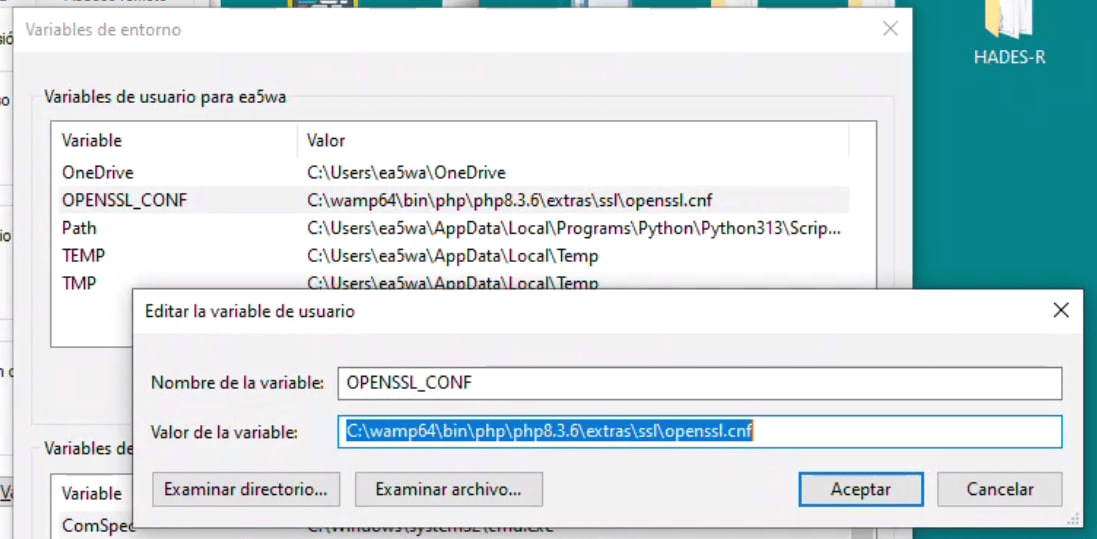
请确保环境变量的路径正确!
如果仍然不行,你可以根据你的 Windows 版本,从 https://slproweb.com/products/Win32OpenSSL.html 下载并安装 Windows 版 OpenSSL。你可以下载 light 版本并照常安装。
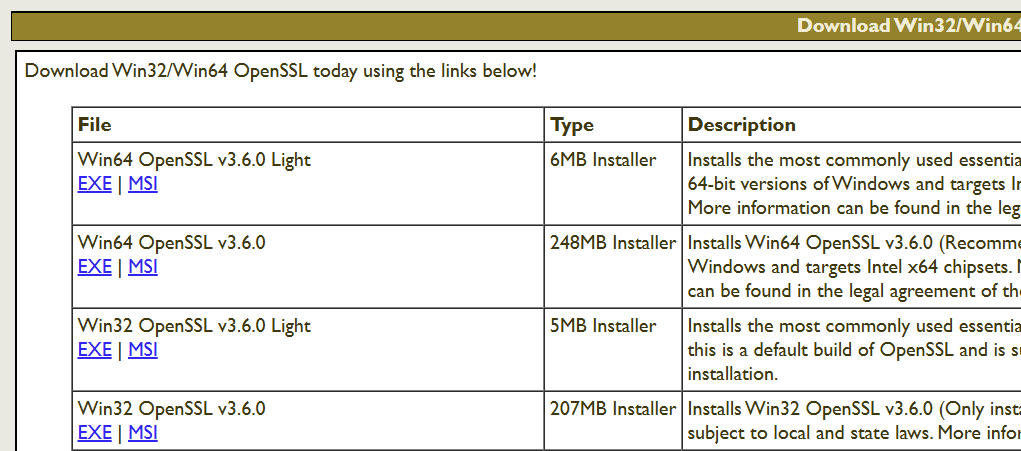
你还需要编辑 PATH 变量,添加一行 openssl.exe 的路径:C:\Program Files\OpenSSL-Win64\bin

重启服务器即可。